

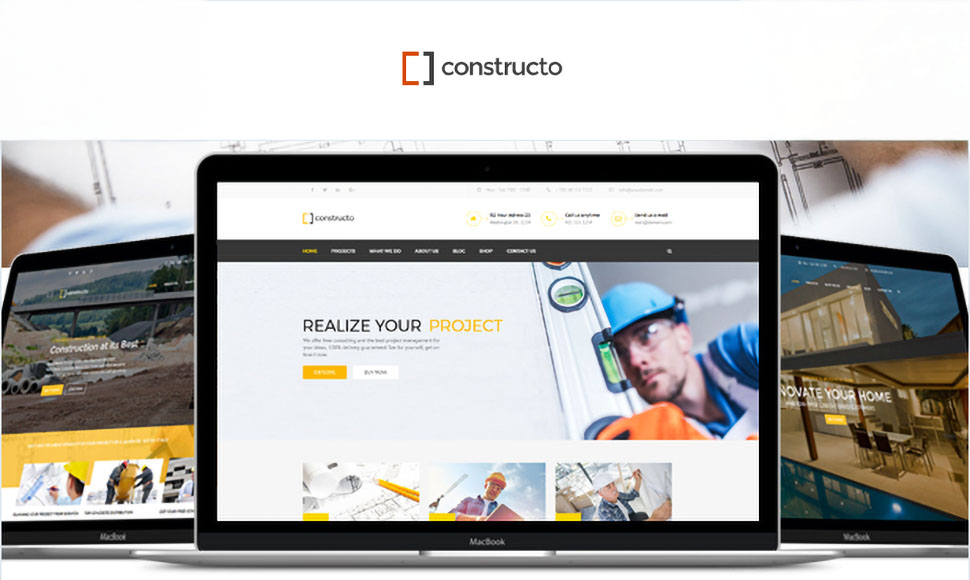
A strong construction company website answers four quick questions: Who are you? What do you build? Can I trust you? How do I get a quote?
This friendly guide walks you through the 10 essential construction website features and shows how the Constructo WordPress theme (a proven best-seller on ThemeForest with 7,300+ licenses) helps you launch fast. No coding needed – WPBakery Page Builder and Revolution Slider are included in the price, updates are regular, and everything works with the latest WordPress versions.
1) A clear hero section with one call-to-action
Your homepage hero should make your value obvious in one glance. Use a short headline like “Residential & Commercial Construction in [City]” and a single button: Get a Free Quote. Avoid clutter and rotating messages, clarity converts.
With Constructo: Build the hero with WPBakery (heading, subheading, button) or use Revolution Slider for a bold image/video background. Keep one primary CTA so visitors know exactly what to do.
2) Service blocks people actually understand
Clients look for the problem you solve. Create simple service cards such as New Builds, Renovations, Roofing, Concrete, Interiors. Write in plain language and highlight benefits: timelines, cleanliness, warranty, and budget control.
With Constructo: Use icon boxes, lists, and buttons to present services in tidy grids. Add a “Learn More” link to deeper service pages.
3) A visual project portfolio with filters
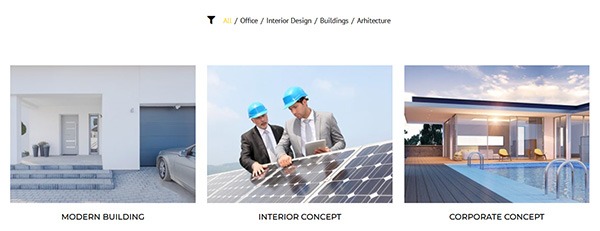
Your portfolio is the trust engine. Show finished work with short captions: project type, location, and a one-line result (“Completed in 8 weeks, under budget”). Add filters (All / Residential / Commercial / Roofing) so visitors can quickly find relevant work.
The Constructo WordPress theme already includes a portfolio grid and filters built for contractors. You can preview it in the live demo.
4) Testimonials and partner logos
Buyers want proof. Feature 3–6 short quotes from homeowners, developers, and partners. Add name, company, and a small photo or logo. Social proof reduces risk and speeds up decisions.
With Constructo: Drop in Testimonials (classic or modern). Add a Logos row for supplier or certification badges for extra credibility.
5) Safety certifications, licenses, and insurance
Construction decisions are trust decisions. Make safety and compliance visible: list your licenses, insurance coverage, safety training, and memberships (e.g., ISO, LEED, local associations). A short paragraph on your safety process builds confidence.
With Constructo: Use logo grids for badges and a compact text block or accordion for details like coverage and procedures.
6) A simple “Request a Quote” form
Make contact effortless. Ask only for essentials: name, phone, email, project type, location, budget range, and timeline. A shorter form gets more submissions; you can gather details later.
With Constructo: Place a contact info block next to your form, and repeat a Get a Quote button in the hero, services, and footer to capture interest anywhere on the page.
7) About & Team page with real people
People hire people. Show leadership, site managers, and project supervisors with short bios and friendly photos. Add a few numbers—years in business, projects completed, repeat clients—to make your experience feel tangible.
With Constructo: Create a clean Team section and add counters for quick stats like “20+ Years,” “300+ Projects,” or “24/7 Support.”

8) Service area and Google Map
Visitors want to know you work in their city. List the regions you cover and embed a map with your office location. If you offer emergency call-outs, say so clearly.
With Constructo: Use Google Maps (basic or advanced) and a short text block listing key cities and neighborhoods.
9) FAQ that removes objections
Answer the big questions in one place: How do estimates work? Do you handle permits? What warranties do you provide? How do you manage timelines and delays? An FAQ saves back-and-forth and reduces friction.
With Constructo: Use an accordion or toggle layout so visitors can skim and expand the answers they care about.
10) Light blog/news for freshness
You don’t need long articles. Post short updates: new projects, safety wins, awards, community work, or quick homeowner tips (“How to prepare your kitchen before renovation”). Fresh content helps SEO and shows you’re active.
With Constructo: List recent posts on the homepage and link to a simple News page. If you have short clips, embed Vimeo/YouTube.
A simple page plan that converts
Home: Hero + CTA, services grid, featured projects, testimonials, map, quote form.
Projects: Filterable portfolio with categories (Residential, Commercial, Roofing…).
Services: One page summarizing all services with “Get a Quote” buttons.
About/Team: Company story, certifications, team profiles, safety commitment.
Contact: Contact info, Google Map, short quote form, business hours.
News (optional): Quick updates and tips once or twice a month.
Why many contractors choose Constructo
Proven: Trusted by 7,300+ buyers on ThemeForest; contractors love its real-world layouts.
Fast setup: One-click demo import gets you a complete starter site in minutes.
Drag-and-drop: WPBakery Page Builder included—rearrange sections with zero code.
Standout visuals: Revolution Slider included for bold hero sliders and before/after showcases.
Built-in blocks: Portfolio, Testimonials, Team, FAQ, Contact Info, Google Maps, Logos, Counters, Pricing Tables, Gallery Slider, and more.
Future-proof: Regular updates and compatibility with the latest WordPress versions.
Quick SEO checklist (non-technical)
Use your city/region in headlines and titles (e.g., “General Contractor in Graz”).
Name images with keywords (e.g.,
graz-kitchen-renovation-after.jpg) and add short alt text.Give each page one clear goal (request a quote, view projects, contact).
Write in simple language—benefits first, jargon last.
Add internal links: Home → Services → Projects → Contact, and back.
Keep NAP (name, address, phone) consistent on the site and your Google Business profile.
Final word
A great construction company website doesn’t need to be complex. With the right structure and the right WordPress theme for builders, you can look professional, earn trust, and collect more quote requests. Constructo gives you the key construction website features out of the box—so you can launch quickly, showcase your best work, and get back to building.
If you feel that Constructo could be a good fit for your business, you can find it on ThemeForest.