
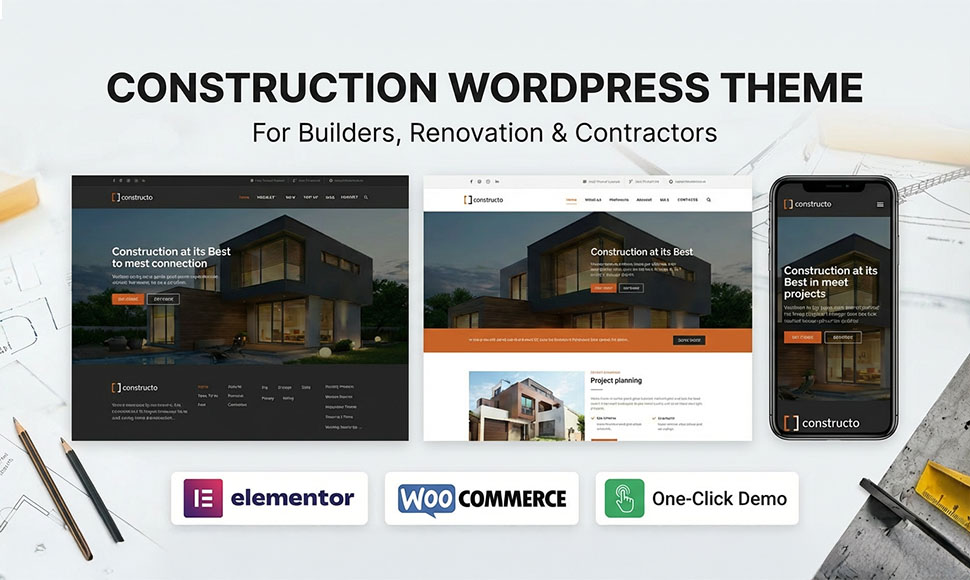
Constructo now supports Elementor: an easier way to build construction websites
We’ve just shipped one of the biggest updates to Constructo – Construction WordPress Theme: full support for Elementor.
If you’re building websites for construction, building, renovation, or contractor businesses, you can now create and edit pages visually with Elementor while keeping all the power of Constructo’s demos, layouts, and options.
In this post, we’ll walk you through what’s new, how Elementor works inside Constructo, and what existing customers should know before updating.
What’s new in this update
Here’s what this version of Constructo brings to your construction projects:
✅ Full Elementor support
You can now:
- Build pages with Elementor’s drag-and-drop interface
- Use Elementor widgets together with Constructo’s layouts
- Create custom homepages, service pages, and project pages without coding
Constructo continues to support WPBakery Page Builder, so you can choose the builder that fits your workflow or your client’s preferences.
✅ Updated demos for construction & building websites
We’ve refreshed our construction and building demos so they work great with Elementor:
- Cleaner layouts for construction companies, builders, and contractors
- Easier structure for editing sections (hero, services, projects, testimonials)
- Better defaults for typography and spacing
You can still use the existing WPBakery-based demos if you prefer.
✅ Performance & compatibility improvements
Alongside Elementor support, this update also includes:
- Code clean-up and small performance tweaks
- Better compatibility with the latest WordPress and popular plugins
- Minor bug fixes reported by our users
How to start using Elementor with Constructo
Getting started with Elementor in Constructo is simple:
- Update the theme
- Make sure you’re running the latest version of Constructo.
- Always create a backup before updating (theme + database).
- Install & activate Elementor
- Go to Plugins → Add New and search for Elementor.
- Install and activate the plugin.
- Choose a demo (optional)
- If you’re starting a new site, import one of the construction or building demos.
- Use the one-click demo importer from the theme options panel.
- Edit pages with Elementor
- Open any page and click “Edit with Elementor”.
- Start customizing sections: hero, services, projects, team, contact, etc.
- Fine-tune in theme options
- Use Constructo’s Theme Options to control global colors, header, footer, and typography for your construction or building brand.
What about existing WPBakery sites?
If you already have a site built with Constructo and WPBakery:
- You don’t have to switch to Elementor. WPBakery will continue to work as before.
- You can keep using your existing pages and start using Elementor only on new pages if you want to test it gradually.
- Always test updates on a staging site first if you’re working on a live project.
This way, you can adopt Elementor at your own pace without breaking existing layouts.
Who benefits the most from this update?
This Elementor update is especially useful if you:
- Build multiple sites for construction, building, or renovation clients
- Work in an agency or freelance environment where clients like to edit their own content
- Prefer a visual, front-end builder instead of working in the back-end only
- Want to create unique layouts while still starting from solid construction-focused demos
Ready to build with Elementor?
Constructo was already focused on making construction and building websites fast to launch and easy to maintain. With Elementor support, it’s now even more flexible for both beginners and experienced WordPress professionals.
Update to the latest version of Constructo, install Elementor, and start building your next construction website visually.
Explore the theme live and get the latest version here:
Demo
Buy now