Most Elementor vs Gutenberg comparisons focus on speed, design freedom, SEO, or ease of use. Those points matter. However, they do not always answer the most important question for a business website:
Which setup will still be easy to manage after launch?
A business website does not stop on launch day. You will update services, add blog posts, change prices, improve landing pages, test new calls to action, and maybe redesign parts of the site later. Because of that, the best choice is not always the tool with the most features. The best choice is the one that helps your website stay clean, stable, and easy to update.
This guide looks at Elementor and Gutenberg from a maintainability-first point of view. In other words, we will focus on what happens after the website goes live.
The Real Issue: Maintenance Debt
Every website creates maintenance debt when the structure becomes messy. At first, small issues do not look serious. One page has different spacing. Another page uses a different button style. A third page has a custom section that nobody remembers how to edit.
After a few months, these small details start to cost time. The marketing team wants to create a new page, but they copy an old messy page. A developer needs to fix the layout, but every section works differently. The business wants a redesign, but the site has no reusable structure.
This is the point where Elementor vs Gutenberg becomes more than a design choice. It becomes a business decision.
A maintainable website should make future work easier. It should help editors update content safely. It should help developers understand the structure quickly. Also, it should allow the website to grow without turning into a collection of random pages.
Elementor: Great for Visual Control, Risky Without Rules
Elementor gives businesses a lot of visual control. That is why many teams like it. You can build landing pages, service pages, pricing sections, testimonials, forms, and hero areas without writing code.
This works very well for marketing-focused websites. For example, a service business may want to test different homepage sections or create campaign pages quickly. Elementor makes that easier because the team can see the design while editing.
However, the same freedom can also create problems. If every person edits spacing, colors, fonts, and layouts in their own way, the site slowly becomes harder to manage. The design may still look acceptable from the outside, but the backend becomes confusing.
Elementor works best when you use it with a system. That means global colors, global fonts, reusable templates, consistent spacing, and a limited number of add-ons. Without those rules, Elementor can create too much freedom.
For many business websites, Elementor makes sense when the visual presentation matters more than strict content structure. This is often true for landing pages, homepages, sales pages, and service pages that need a strong first impression.
Gutenberg: Cleaner for Content, But It Needs Planning Too
Gutenberg is the native WordPress block editor. It usually gives businesses a cleaner editing experience because it stays closer to WordPress core. This makes it a strong choice for content-heavy websites.
If your website needs many blog posts, guides, case studies, documentation pages, or simple service pages, Gutenberg can make daily editing easier. Editors can focus on writing and structure instead of moving design elements around all the time.
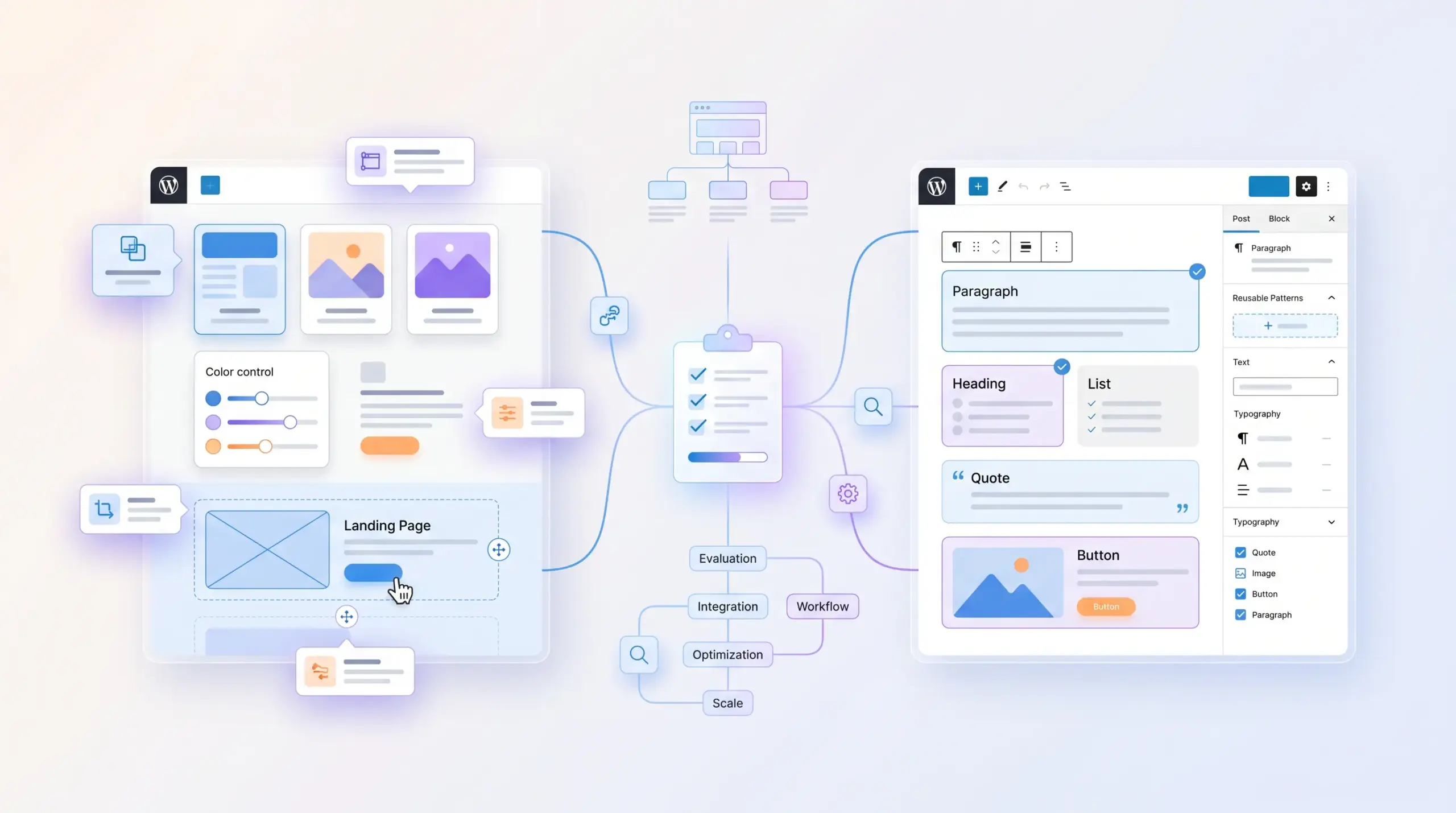
Gutenberg also encourages reusable patterns and blocks. This helps teams keep pages consistent. For example, you can create ready-made sections for testimonials, FAQs, service cards, comparison tables, and calls to action.
Still, Gutenberg is not magic. If your business needs complex landing pages or highly custom layouts, you may need custom blocks, a strong theme setup, or developer help. The official WordPress Block Editor Handbook shows how much the block editor can do, but it also shows that advanced setups need proper planning.
So, Gutenberg is usually the better choice when content structure matters more than visual freedom.
Quick Comparison: Maintainability First
| Question | Elementor | Gutenberg |
|---|---|---|
| Who benefits most? | Marketing teams that need visual control | Content teams that need clean editing |
| Main strength | Flexible design and fast landing page creation | Clean structure and native WordPress editing |
| Main risk | Too many manual layout changes | Limited design freedom without custom blocks |
| Best use | Homepages, sales pages, campaign pages | Blogs, guides, resource pages, standard service pages |
| Best long-term setup | Templates, global styles, and strict editing rules | Reusable patterns, custom blocks, and clear content rules |
The 18-Month Test
Before you choose, imagine the website 18 months from now.
The business has added 30 blog posts, changed the homepage twice, created several landing pages, updated service pages, and hired someone new to help with content. Maybe the original developer no longer works on the project.
Now ask yourself: will the website still feel easy to manage?
If every Elementor page uses different styles, the team may struggle. But if the site uses templates and global settings, Elementor can still work well.
If Gutenberg uses clear patterns and blocks, the content structure may stay clean. But if the business needs more visual landing pages, Gutenberg alone may feel limited.
This test helps you avoid choosing based only on launch-day design. A business website needs to survive real updates, real editors, and real changes.
When Elementor Makes More Sense
Choose Elementor when your business needs visual flexibility and quick layout changes. It is especially useful when pages need to sell, explain, and convert visitors with strong design sections.
Elementor can work well for:
- homepages with many custom sections
- landing pages for ads or campaigns
- service pages with strong visual presentation
- pricing pages and lead generation pages
- websites where the owner wants visual control
If you use Elementor, do not treat every page as a blank canvas. Create a small design system first. This will make the website easier to update later.
If you want ready-made business layouts, you can also explore our WordPress themes, which support business websites with structured pages and professional design foundations.
When Gutenberg Makes More Sense
Choose Gutenberg when your website needs clean content management and long-term structure. It is a strong option for businesses that publish regularly or want to keep the editing process simple.
Gutenberg can work well for:
- blogs and guides
- case studies
- documentation pages
- simple service pages
- resource hubs and knowledge bases
With Gutenberg, the best setup includes reusable patterns. This gives editors enough flexibility without letting every page turn into a custom design project.
The Hybrid Setup Often Works Best
Many business websites do not need to choose only one option. A hybrid setup often works better.
For example, you can use Elementor for the homepage and key landing pages. Then you can use Gutenberg for blog posts, guides, case studies, and standard content pages.
This gives the business visual freedom where it matters and clean structure where content matters. It also reduces maintenance problems because not every page needs a full visual builder.
If your team does not want to manage technical updates, hosting, and maintenance alone, our managed WordPress websites option can also help keep the technical side under control.
The Handover Test
Here is a simple test:
Could another developer or editor understand this website without calling the original builder?
If the answer is no, the website has a maintainability problem.
A good handover should explain how pages work, where templates live, which blocks or sections the team should reuse, and which parts editors should not touch.
This is also why a clear project brief matters before development starts. If you plan a new website, our guide on how to brief a WordPress developer can help you prepare the right details before work begins.
Red Flags to Avoid
No matter which editor you choose, these signs usually lead to future problems:
- every page uses different spacing
- buttons have manual styles on each page
- the site depends on too many add-ons
- editors can change important layout rules too easily
- new pages come from old messy copies
- nobody documents templates, blocks, or reusable sections
These problems do not come from Elementor or Gutenberg alone. They come from weak structure.
FAQ: Elementor vs Gutenberg for Business Websites
Is Gutenberg always easier to maintain?
No. Gutenberg often gives you a cleaner starting point, but the site still needs reusable patterns, clear content rules, and good theme setup.
Is Elementor bad for long-term websites?
No. Elementor can work very well for business websites. Problems start when teams build every page differently and ignore global styles or templates.
Can I use Elementor and Gutenberg on the same website?
Yes. Many websites use Elementor for visual pages and Gutenberg for blog posts or standard content. This setup often gives the best balance.
Which option should a small business choose?
If the website mainly needs service pages and blog content, Gutenberg may be enough. If the business needs strong landing pages and visual control, Elementor may suit it better.
What matters more than the builder?
Structure matters most. Reusable sections, clear editing rules, global styles, and proper documentation make any website easier to maintain.
Final Thoughts
Elementor and Gutenberg can both help you build a strong business website. The right choice depends on how the business will manage the site after launch.
Elementor gives teams more visual control. Gutenberg gives teams a cleaner content structure. A hybrid approach can also work well when each tool has a clear role.
Before you decide, think beyond the first design. Think about future updates, new editors, redesigns, SEO work, and developer handover.
A good business website should not only look good today. It should stay easy to improve tomorrow.