
A small business WordPress site does not usually fail in one big crash.
Most problems start quietly. One form stops sending emails. A button moves on mobile. A plugin update changes a section. The site still loads, so nobody reacts.
But this is where the risk begins.
A business website has one main job. It should help people trust you and take the next step. That step may be a form, a phone call, a booking, or a payment.
If that step breaks, the site is no longer doing its job. Even worse, you may not notice it for days or weeks.
Luckily, most WordPress problems are easy to predict. They usually happen in the same places. So, with a simple checkup routine, you can prevent many issues before they cost you leads or sales.
Start with the customer path
Many business owners only check if the website is online. That is useful, but it is not enough.
Instead, look at the path a real visitor takes. They land on the homepage. Then they read a service page. After that, they may send a form, book a call, or buy something.
If one step fails, the whole path becomes weaker.
| Visitor step | What can go wrong |
|---|---|
| Homepage | Slow loading, broken layout, unclear message |
| Service page | Old text, missing image, weak button |
| Contact form | Email does not arrive, wrong inbox, spam issue |
| Booking step | Wrong time zone, no email, broken calendar link |
| Checkout | Payment error, missing order email, slow page |
| Mobile visit | Bad spacing, hidden button, hard-to-read text |
This is the main idea. Do not only maintain WordPress. Maintain the customer path.
1. Contact forms stop sending emails
Contact forms break more often than many business owners think.
The form may still look normal. It may even show a success message. Still, the email may never reach your inbox.
This can happen for several reasons. The site may use basic WordPress mail. Your host may block messages. A spam filter may stop them. Also, a plugin setting may change after an update.
How to prevent it
Test your main forms once per month.
First, send a test message. Next, check if it arrives in the right inbox. Then, check the subject line, sender name, and reply email.
Use SMTP for better delivery. SMTP sends emails through a real email service, so messages are less likely to disappear.
Also, send form messages to two addresses if possible. This gives you a simple backup.
That small test can save many lost leads.
2. Plugin updates change the design
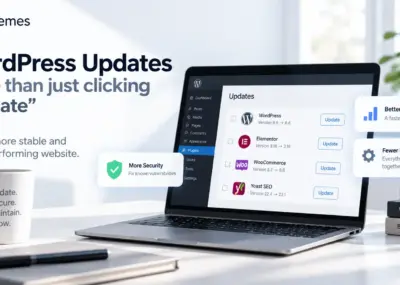
Updates are important. They fix bugs, improve security, and add new features.
However, an update can also change how a page looks. This is common with page builders, form plugins, sliders, shop plugins, cache plugins, and security plugins.
For example, spacing can change. Icons can disappear. A shortcode can stop working. A mobile menu can behave differently.
The site may not look completely broken. Even so, one messy section can make the business look less professional.
How to prevent it
Before you update, make a fresh backup. After that, check the pages that matter most.
- Homepage
- Contact page
- Main service pages
- Pricing pages
- Cart and checkout pages
- Top blog posts
- Mobile menu and header
Also, do not add a plugin for every small feature. Each extra plugin adds another possible problem.
If your site feels heavy or hard to manage, you may need a cleaner base. You can browse our premium WordPress themes for business websites.
3. Mobile pages become hard to use
A page can look good on desktop and still feel bad on mobile.
This often happens after normal edits. Someone adds a longer title. Another person uploads a large image. Later, a new button is added.
On desktop, the page still looks fine. On mobile, the text may wrap badly, the section may become too tall, or the main button may move too far down.
How to prevent it
After each important edit, open the page on a real phone. Then, check it like a new visitor.
- Can you read the text without zooming?
- Is the main button easy to see?
- Can you open the menu easily?
- Does the form fit the screen?
- Are phone and email links easy to tap?
- Does the first screen explain the business?
Desktop preview helps. Still, a real phone test often shows problems that the editor misses.
4. Old admin users stay active
Many small business sites have old user accounts.
A past developer, agency, assistant, or test user may still have admin access. Months later, nobody remembers why the account exists.
This creates risk. If someone no longer works on the site, they should not keep full access.
How to prevent it
Review WordPress users on a regular schedule.
Remove accounts that are no longer needed. Also, lower the role for users who only edit text or upload images.
For example, a content editor does not need full admin rights. A lower role is safer.
Use this rule: only people who truly need full control should be admins.
5. Backups exist, but nobody checks them
Backups sound simple. Yet many businesses do not know if their backups really work.
The site may have a backup plugin. The host may also offer backups. But that does not always mean the backup is recent, complete, and easy to restore.
During an emergency, an old backup is not enough. A missing database backup is not enough either.
How to prevent it
Once per month, check these items:
- Date of the latest backup
- Whether the database is included
- Whether images and files are included
- Where the backup is stored
- Who can restore the site
- How long a restore would take
Also, do not keep backups only on the same server. If the server has a problem, the backup may be unavailable too.
For a bigger routine, you can also read our WordPress maintenance checklist for business sites.
6. The website becomes slower over time
Most slow websites become slow step by step.
One large image does not seem serious. One chat widget may feel useful. One tracking script may look harmless.
But together, these small items can make the site heavy.
Common causes include large images, sliders, popups, extra fonts, social feeds, unused plugins, and too many scripts.
How to prevent it
Before you add a new plugin or script, ask one question: will this help the business enough to make the site heavier?
Compress images before upload. Also, avoid huge images if the page only shows them in a small area.
Every few months, review your homepage and service pages. Remove old sections, unused tools, outdated popups, and scripts you no longer need.
As a result, the site stays faster and easier to manage.
7. Important pages become outdated
A business changes over time. The website often does not.
You may add new services, stop old ones, change prices, improve your process, or work with different clients. But the website may still show the old story.
This can confuse visitors. It can also make your pages less clear for search engines.
How to prevent it
Review your key pages every quarter.
| Page | What to check |
|---|---|
| Homepage | Main message, hero text, call to action |
| Services | Current offers, prices, examples |
| About page | Team, experience, trust points |
| Contact page | Email, phone, form, location details |
| Blog posts | Old advice, broken links, old screenshots |
You do not need to rewrite everything. Often, a small refresh is enough.
For example, improve weak titles, add clearer buttons, update links, replace old screenshots, and remove text that no longer matches your offer.
8. Checkout or booking steps fail
Some sites have more than simple pages. They may use WooCommerce, booking tools, memberships, subscriptions, or paid downloads.
These systems have many moving parts. A payment setting, coupon, tax rule, email, or thank-you page can break the process.
The problem is easy to miss. You may only learn about it when a customer complains.
How to prevent it
Run a test order or test booking often. Then, check the full process from start to finish.
- Select the product or service
- Add it to cart
- Go to checkout
- Choose payment method
- Complete the order
- Check the thank-you page
- Check customer email
- Check admin email
Do not only check if the shop page loads. Test the action that brings revenue.
9. Nobody owns website care
This is a hidden problem on many small business sites.
The owner thinks the developer checks everything. The developer thinks the host handles backups. The host only manages the server. Meanwhile, the marketing person updates text but does not test forms.
Because of that, important checks can be missed.
How to prevent it
Create a simple responsibility list. Then, each person knows what they must check.
| Task | Responsible person |
|---|---|
| WordPress updates | Developer, agency, or internal admin |
| Backups | Host or maintenance partner |
| Form testing | Business owner or support person |
| Content updates | Marketing or business owner |
| Security review | Developer or maintenance partner |
| Checkout testing | Store owner or website manager |
This does not need to be complex. Still, every important task needs an owner.
If you want someone to take ownership of these regular checks, our WordPress care plans can help with updates, backups, fixes, and ongoing website maintenance.
A simple monthly checklist
Use this checklist once per month:
- Test all important forms
- Check mobile layout on key pages
- Confirm backups are running
- Review admin users
- Update plugins carefully
- Check homepage speed
- Test checkout or booking flow
- Review broken links
- Check contact details
- Look at top pages for old content
This routine does not take long. However, it protects the parts of the website that matter most.
FAQ
How often should a small business WordPress site be checked?
Once per month is a good start. A site with a shop, booking system, membership area, or regular changes should be checked more often.
Should I update WordPress plugins immediately?
Handle security updates quickly. First, make a backup. Then, update and check the important pages. For larger updates, test more carefully.
What is the most common WordPress problem for small business sites?
Form problems are very common. Owners often do not notice them right away. Layout issues after updates and mobile problems are also common.
Do small business websites really need maintenance?
Yes. A website is not a one-time job. WordPress, plugins, browsers, devices, content, and business details all change. Without care, small issues build up.
Final thought
Most small business WordPress sites do not fail because of one huge problem.
They fail because small issues stay hidden for too long.
A form stops working. A mobile section becomes messy. A backup fails. An old admin account stays active. A checkout page stops converting.
Each issue may look small. Together, they reduce trust and cost the business opportunities.
Your website does not need constant redesigns. However, it does need steady care.
If you want help with updates, fixes, maintenance, or ongoing WordPress improvements, you can review our monthly WordPress support options or contact AnpsThemes and tell us what you need.