


Short answer: yes, for most businesses that want to own their website, grow it and choose their own tools, WordPress is still worth it in 2026. Wix or Squarespace is the better pick if you want the simplest possible setup, one monthly bill and no maintenance, and you’re happy to live inside one company’s platform.
The question is everywhere this year, and for good reasons. Below we compare WordPress vs Wix vs Squarespace on cost, ease of use, design, ownership, SEO, online selling and AI features, with current 2026 prices, so you can decide for your own business rather than for the internet’s.
Why people are asking if WordPress is still worth it
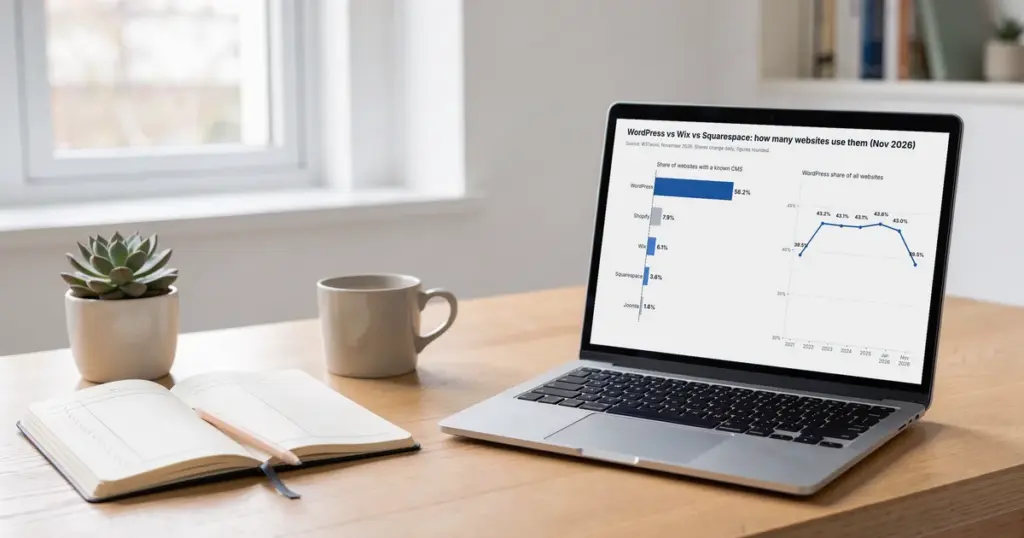
For the first time, WordPress’s share of the web is falling. W3Techs measured WordPress on about 43% of all websites at the start of 2025 and 2026, and about 39% in November 2026. Over the same period, the share of sites built without any content management system W3Techs tracks grew, a group that includes sites made with AI app builders and custom code.
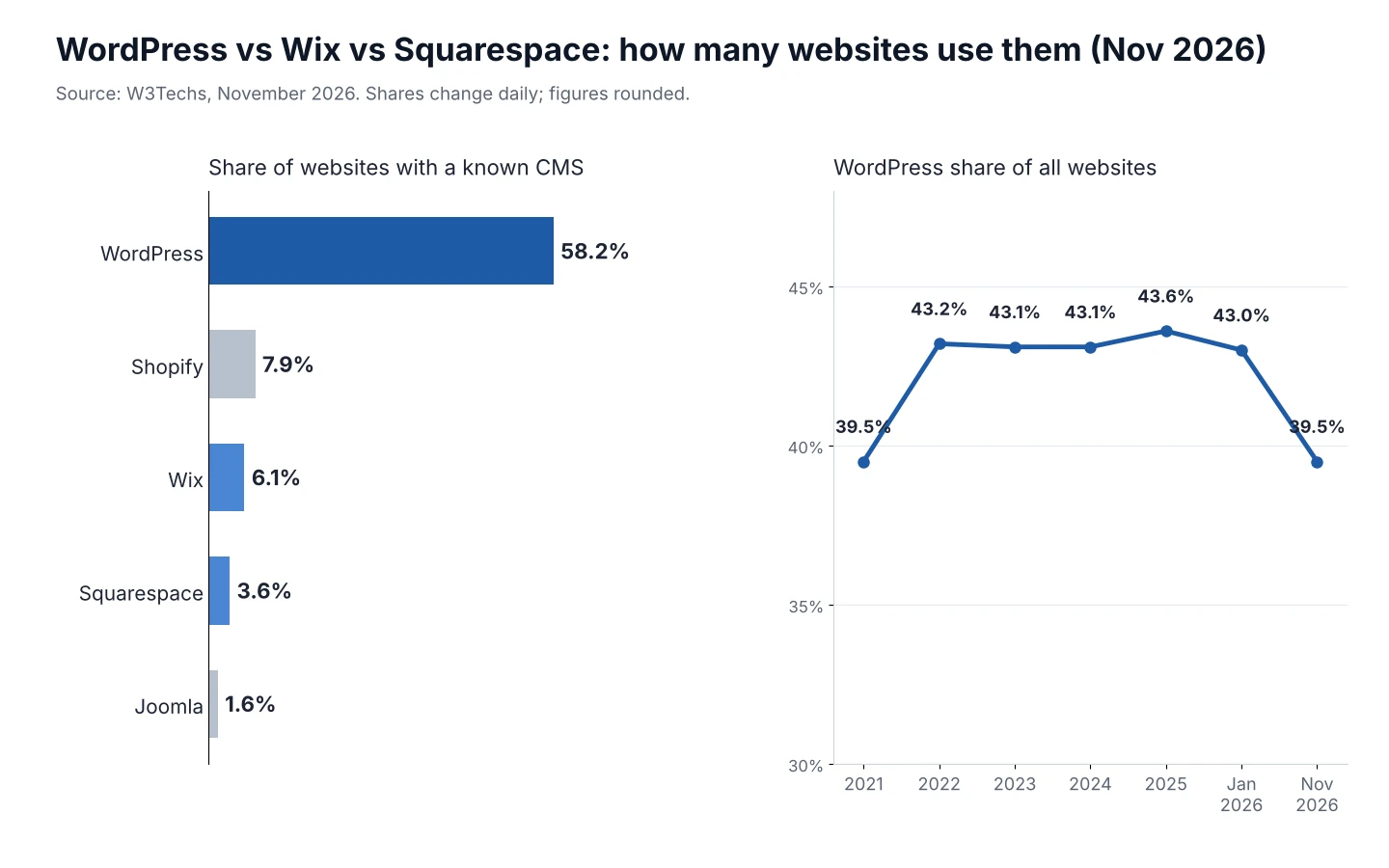
Keep it in proportion, though. Among websites that use a known platform, WordPress still runs about 58%, against roughly 6% for Wix and under 4% for Squarespace. WordPress also shipped version 7.0 in May 2026, with the first stage of a new admin design, visual revision history and AI tools built into core. It’s changing, not disappearing.
WordPress vs Wix vs Squarespace at a glance
| WordPress | Wix | Squarespace | |
|---|---|---|---|
| What it is | Free open-source software you host yourself | All-in-one hosted website builder | All-in-one hosted website builder |
| Typical yearly cost | $150–700 DIY, more with help | $204–1,908 (plans $17–159/mo yearly) | $228–1,188 (plans $19–99/mo yearly) |
| Ease of use | Moderate; easier with a ready-made theme | Easiest; drag and drop | Easy; more structured |
| Design freedom | Unlimited, with themes, builders and code | High within the editor | Polished templates, less freedom |
| Ownership and moving away | You own the files and data; move host anytime | Site can’t be exported | Partial export of pages and blog |
| Maintenance | You, or a maintenance plan | Handled by Wix | Handled by Squarespace |
| Online store | WooCommerce, no platform fee | From the $29 Core plan | 3% fee on Core, none from Plus |
| Best for | Growing businesses, content sites, custom needs | Small sites that want everything in one place | Design-led brands, portfolios, simple shops |
Cost: WordPress vs Wix vs Squarespace
Wix plans cost $17–159 a month and Squarespace plans $19–99 a month when billed yearly, and both charge more month to month. Hosting, security and updates are included. Most businesses need a mid-tier plan to take bookings or payments, so budget $29–49 a month rather than the entry price. Builder prices also rise on the platform’s schedule: Squarespace raised some annual plans by up to 26% in July 2026.
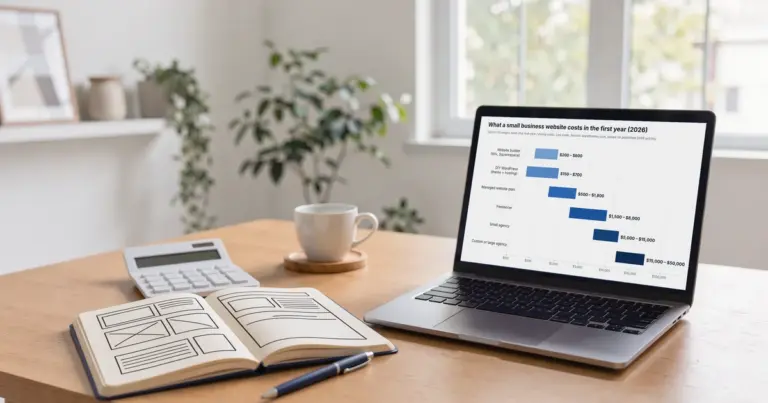
WordPress itself is free. You pay for a domain, hosting, a theme and any premium tools, usually $150–700 a year if you do the work yourself. For a full breakdown of every route, from DIY to agency, see our guide to how much a website costs.
Verdict: WordPress is usually cheaper in cash; the builders are cheaper in time.
Ease of use and maintenance
This is the builders’ strongest point. You sign up, pick a template and edit on the page, and the platform handles hosting, security updates and backups. Nothing breaks after an update, because you never run one.
WordPress asks more of you. You choose a host, install a theme and keep WordPress, the theme and plugins updated. A good business theme with one-click demo import removes most of the setup work, and the maintenance can be handed to your host or a maintenance plan, but it’s still one more thing to think about.
Verdict: Wix and Squarespace win for anyone who never wants to touch the technical side.
Design and flexibility
Squarespace has the most consistent, polished templates; it’s hard to make an ugly Squarespace site, and hard to make an unusual one. Wix gives you more freedom to place elements anywhere on the page. WordPress has no ceiling: thousands of themes, visual page builders, and custom code when you need it, for anything from a booking system to a membership area.
Verdict: WordPress for flexibility, Squarespace for design consistency, Wix in between.
Ownership and lock-in
This matters more than most comparisons admit. With WordPress you own your files and your database, and you can move to another host or developer whenever you like. Wix doesn’t let you export your site to another platform, and Squarespace exports only part of your content, such as pages and blog posts. If you outgrow either builder, you rebuild.
Verdict: WordPress, clearly. If the website is a long-term business asset, owning it is worth a lot.
SEO and AI search
All three can rank well in Google, and all three handle the basics: page titles, descriptions, sitemaps, mobile layouts and SSL. The difference is control. On WordPress you choose your SEO plugin, structured data, page speed setup and hosting, and you can publish what AI assistants read, such as an llms.txt file. On the builders you work within the options each platform offers.
Verdict: for a small brochure site, a draw. For a content-heavy site or one that competes on search, WordPress gives you more to work with.
Selling online
WordPress uses WooCommerce, which is free and takes no cut of your sales; you pay for hosting, extensions and your payment provider. Wix starts selling on its $29 Core plan. Squarespace’s Core plan adds a 3% transaction fee on sales, which drops to zero from the Plus plan. For a large catalogue, Shopify is often a better fit than any of the three.
AI features
Wix and Squarespace both offer AI site generators that build a first draft from a few answers, plus AI help with text and images inside the editor. WordPress 7.0 added an AI client and an Abilities API to core, so plugins and AI assistants can work with your site in a standard way, alongside an official, opt-in AI plugin for things like titles, excerpts and alt text.
Verdict: the builders are smoother for a first draft. WordPress is more open, which matters as more work moves to AI assistants that act on your site.
So, is WordPress still worth it?
In most WordPress vs Wix decisions, the real question is ownership and room to grow versus convenience. Here’s how to decide.
Choose WordPress if:
- You want to own your website and be able to move it.
- You plan to grow: more pages, a blog, bookings, a shop or custom features.
- You care about search and want full control over SEO and speed.
- You’re comfortable with some setup, or you’ll use a ready-made theme and a maintenance plan.
Choose Wix if:
- You want the easiest editor and everything handled in one monthly bill.
- Your site is small and unlikely to need custom features.
- You’re fine staying on one platform long term.
Choose Squarespace if:
- Design consistency matters most, for a portfolio, studio or small brand.
- You want a simple shop without managing plugins.
- You prefer a curated set of templates to unlimited options.
Picking WordPress but don’t want the upkeep? Our guide to WordPress maintenance plans explains what to hand off and what it costs.
FAQ
Is WordPress dying?
No. Its share of all websites fell from about 43% to about 39% over the past year, but it still runs far more websites than any other platform, and version 7.0 shipped in 2026 with a new admin and AI features.
WordPress vs Wix: which is better for SEO?
Both can rank well. WordPress gives you more control over plugins, structured data, speed and hosting, which helps content-heavy sites. For a small local business site, the quality of your content matters more than the platform.
Is Wix cheaper than WordPress?
Usually not in cash: Wix plans cost $204–1,908 a year, while a DIY WordPress site often costs $150–700 a year. Wix is cheaper in time, because hosting, security and updates are included.
Can I move from Wix or Squarespace to WordPress?
Yes, but plan for a rebuild. Wix doesn’t export sites, so you recreate the pages; Squarespace can export some content, such as pages and blog posts, which WordPress can import. Set up redirects from your old URLs to keep your search rankings.
Is WordPress hard to learn?
The basics take a few hours: editing pages, adding posts and changing menus. Building a site from scratch takes longer, which is why most people start from a ready-made theme and import its demo content.
- small business website
- WordPress vs Wix
- website builders